الرئيسية
M Desk
The back office a restaurant actually runs its day on.
- Running at Mumi Sushi Vimercate since June 2026
- 12 modules · 13 languages
- Designed and built by one person
M Desk is the back office behind Mumi Sushi — the screen the restaurant runs its day on. It replaced a cloud till, an aggregator dashboard and two delivery-platform tablets with one system that takes every order, prints every ticket and pays every rider.
It is the hardest thing built at this workshop. A real restaurant depends on it every service, so every feature below was shaped by something that actually went wrong on a Friday night — and had to be fixed before Saturday.
What's inside
01Order board
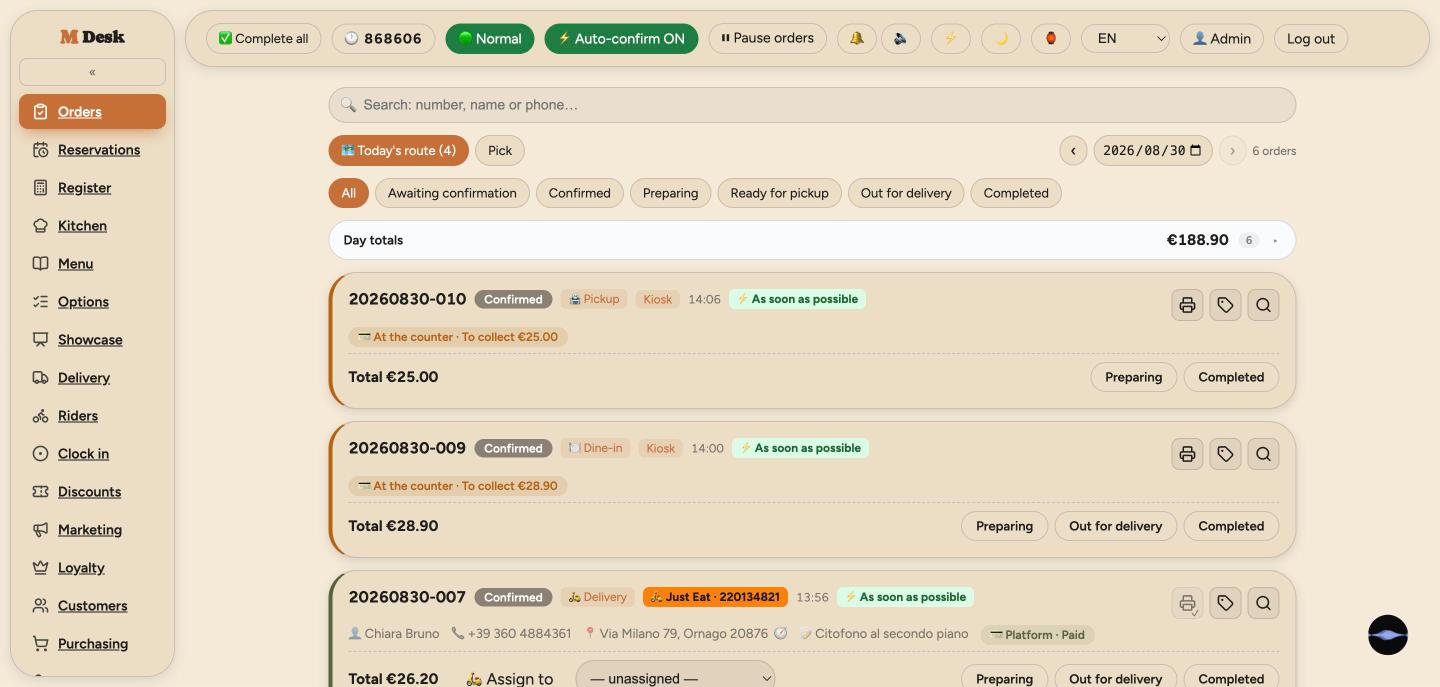
Every channel on one screen: website, apps, kiosk, Deliveroo, Just Eat, phone orders. A new order rings within 1.5 seconds and the tab title blinks until someone takes it.
- Platform badges with the platform's own pickup code
- Assign a rider, confirm, cancel or refund from the card
- Pause intake, set prep time, cap active orders — customers see it at once
- Card orders appear only once payment is confirmed
02Kitchen screen
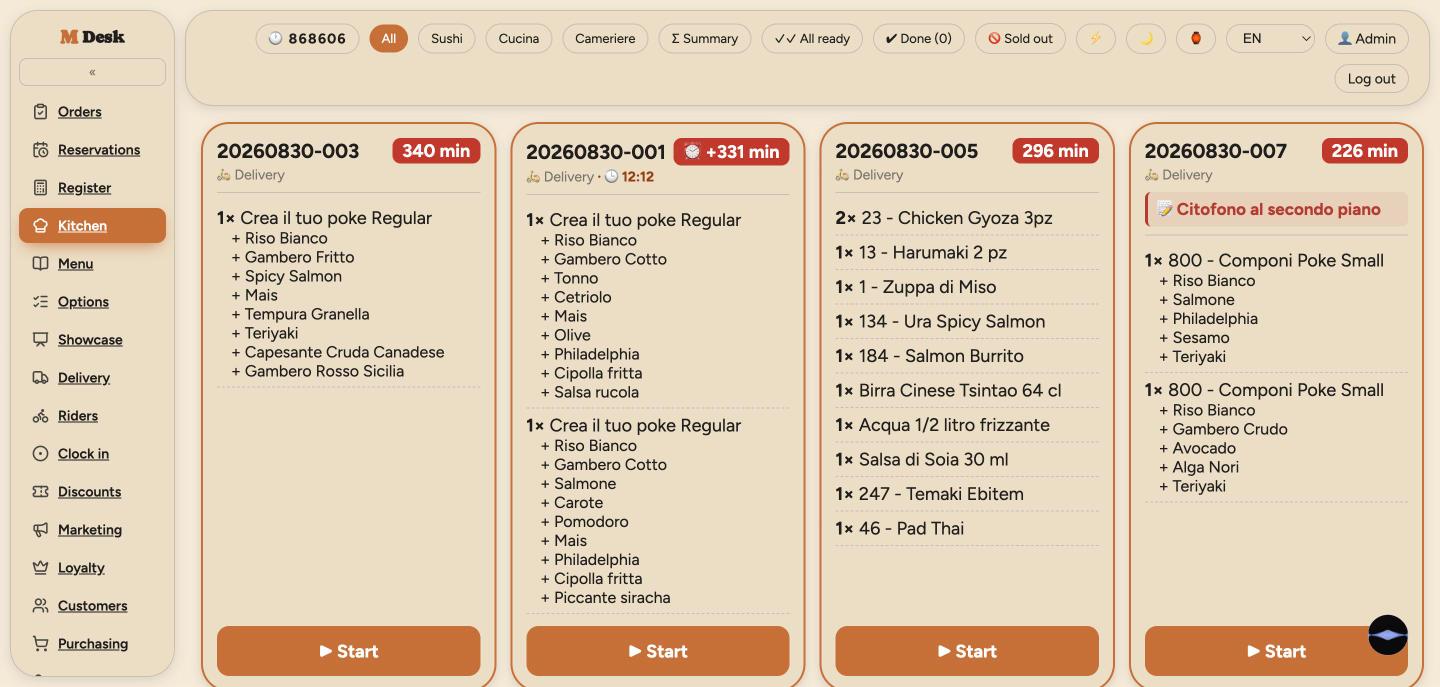
Big cards, a timer that changes colour as an order waits, one tap from start to ready. Filter by station so the sushi counter and the hot kitchen each see their own.
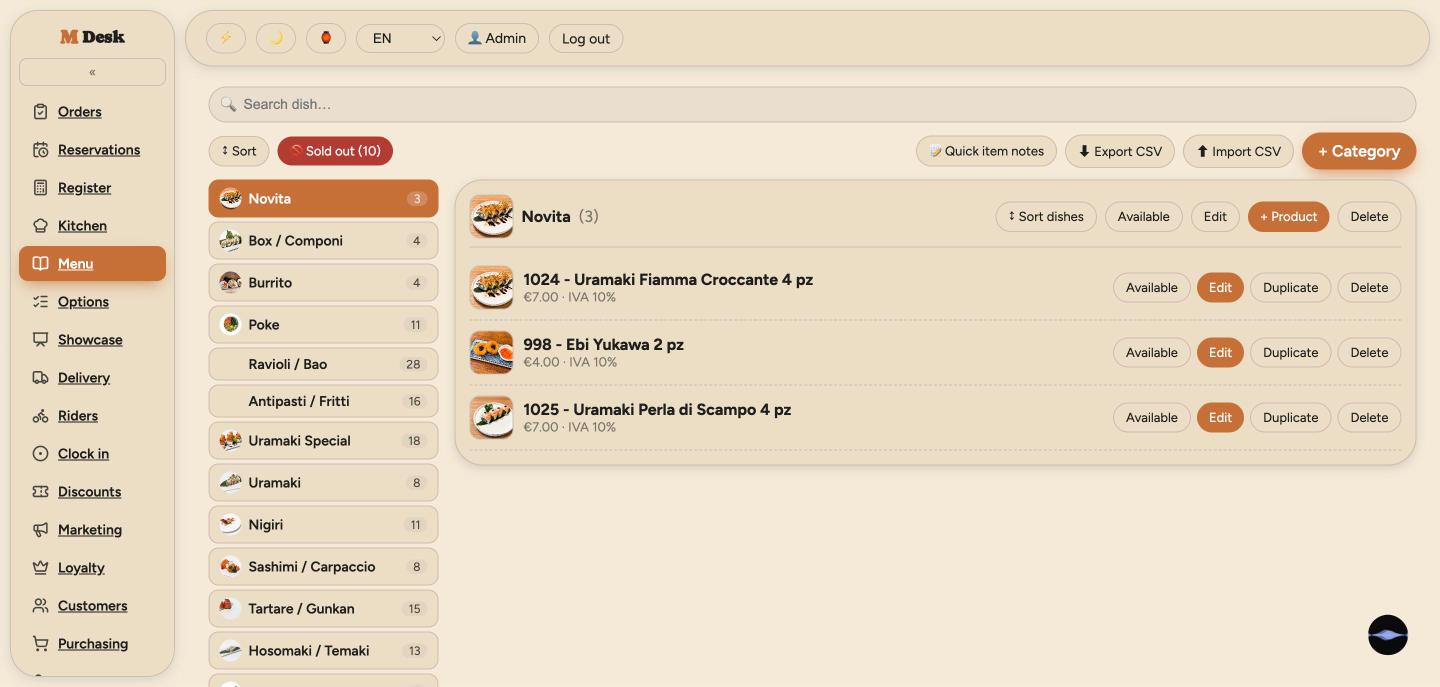
- Sold-out panel: mark a dish out and every channel — Deliveroo and Just Eat included — stops selling it
- Whole-order notes and cutlery in red
- Scheduled orders surface 45 minutes before they are due
- Clock-in code on the top bar
03Till
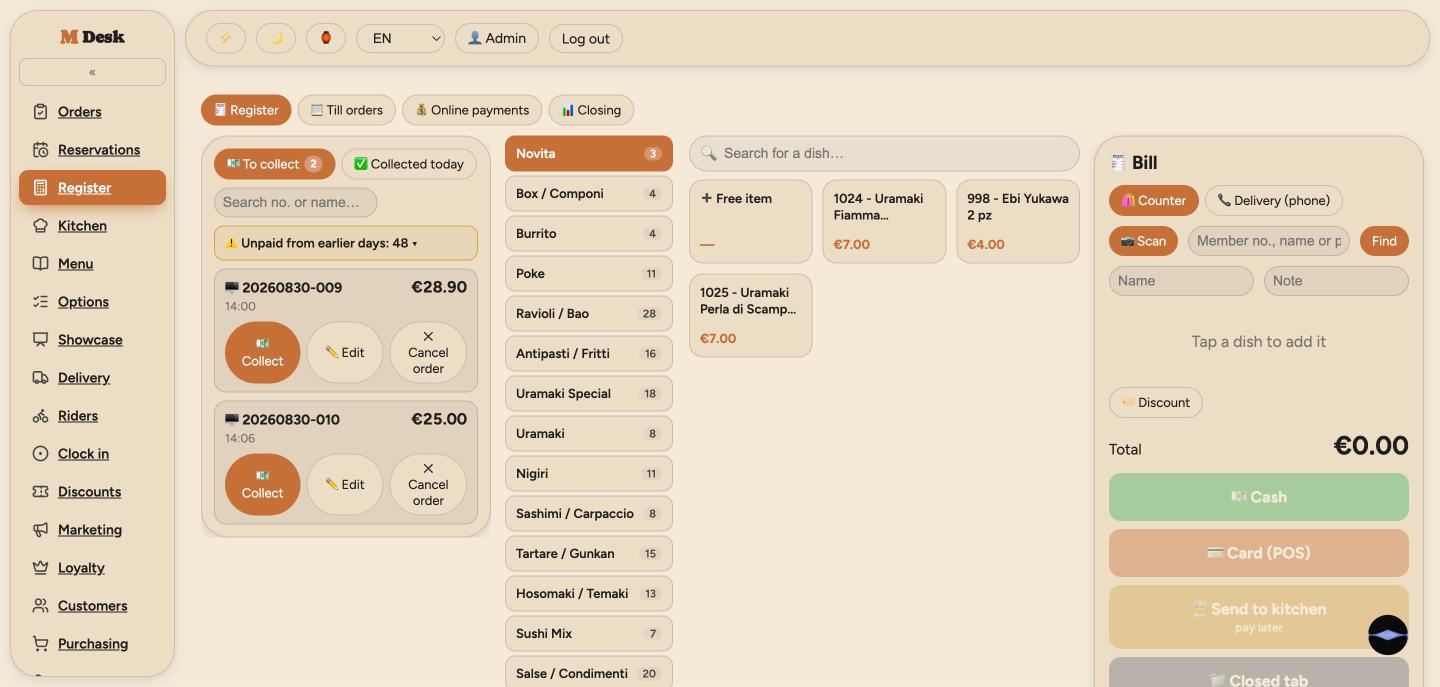
A touch till for the counter: tap to add, pick sizes and extras, cash / card / pay later. Open tabs, split bills, add to a paid order, switch staff with a PIN.
- Membership card scanned at the counter
- Cancel with a reason; refund only what was actually collected
- One collection dialog for everything — the cash portion is recorded for the day's drawer
- End-of-day closing report
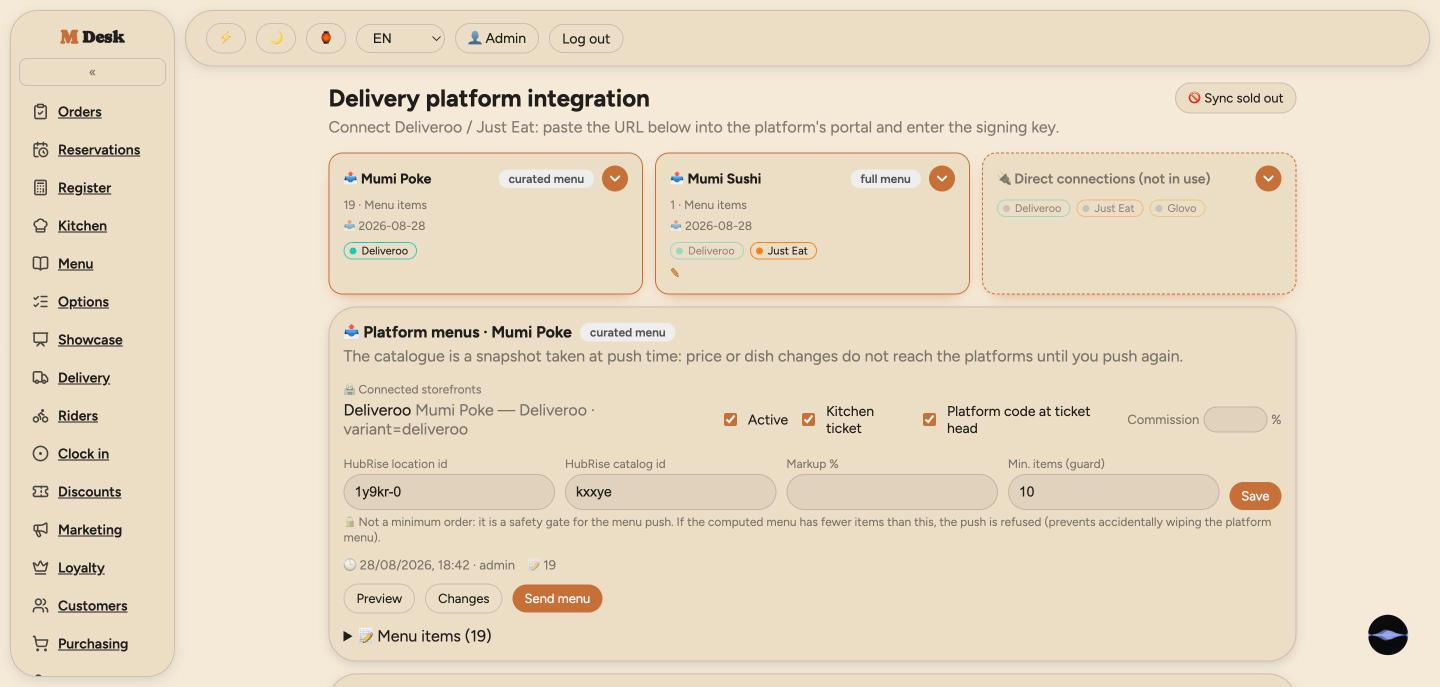
05Deliveroo & Just Eat
One HubRise connection instead of two tablets: menus pushed from here, sold-outs synced, order status reported back. Platform orders land on the same board as everyone else's.
- A catalogue per brand (sushi and poke), each with its own mark-up
- Extras re-ordered to the kitchen's sequence, not the platform's alphabetical one
- Photos resized to each platform's rules automatically
- Ticket header shows the platform pickup code where riders need it
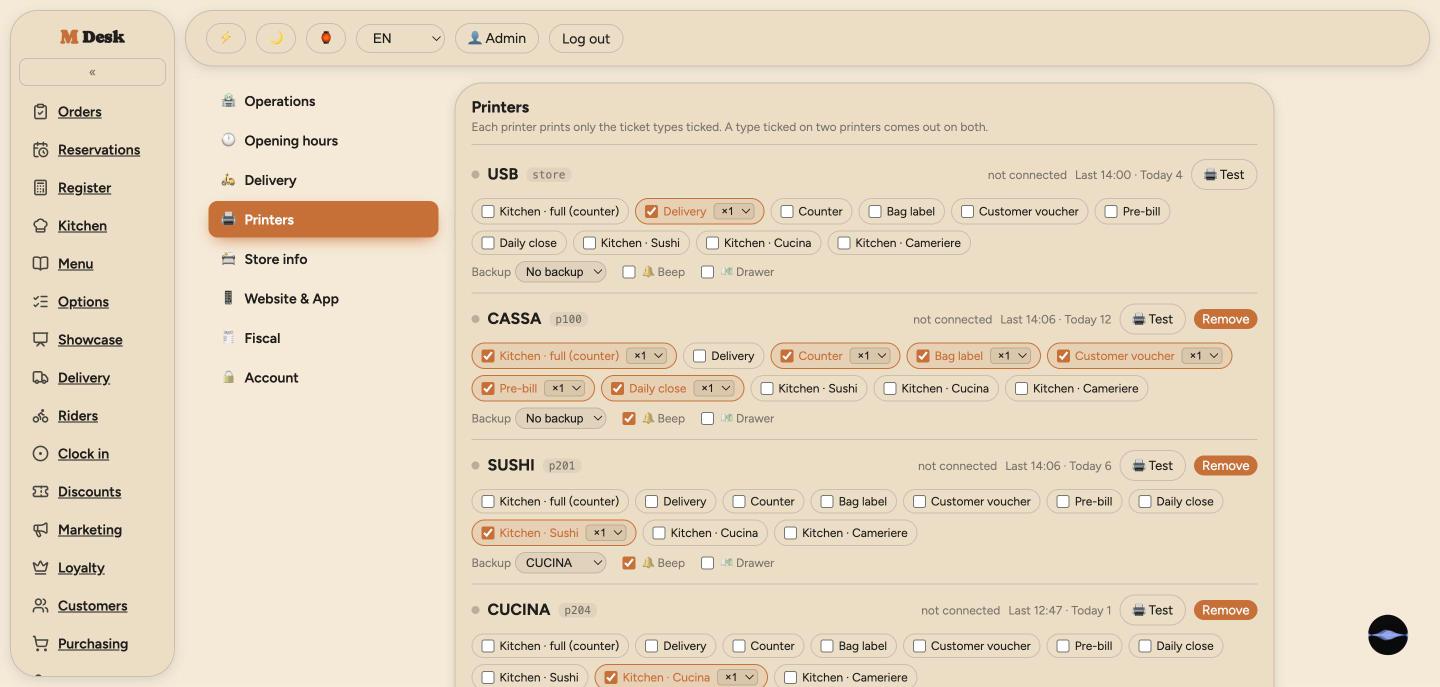
06Printing
Thermal printers on USB or LAN, each subscribed to the ticket types it should print. Kitchen tickets split by station, a receipt for the customer, a delivery slip with a QR for the rider.
- Content editor: 16 blocks × 6 ticket types — the preview is what prints
- Style editor: size and weight per element, tested on paper
- Printer offline? Jobs move to the backup with a banner on the ticket
- Unprinted-for-3-minutes alert with one-tap reassignment; beeper and cash drawer
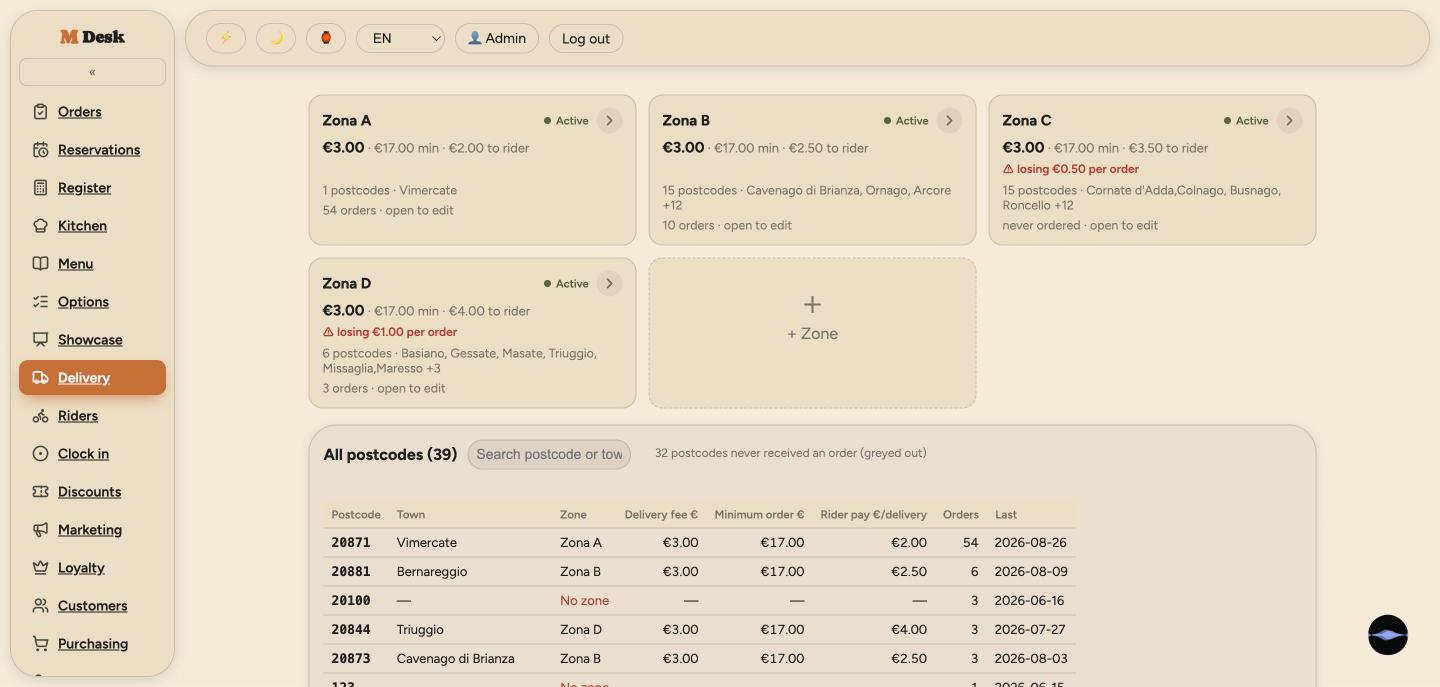
07Delivery & riders
Delivery zones by postcode, each with its own fee and minimum. Riders get a native app — accept, on the way, delivered — and customers watch it on a live map.
- Rider clock-in via a rotating code on the board
- Per-rider hourly rate and per-zone delivery fee on one timesheet
- Customer tracking page with the rider's position
- Push notifications for new assignments
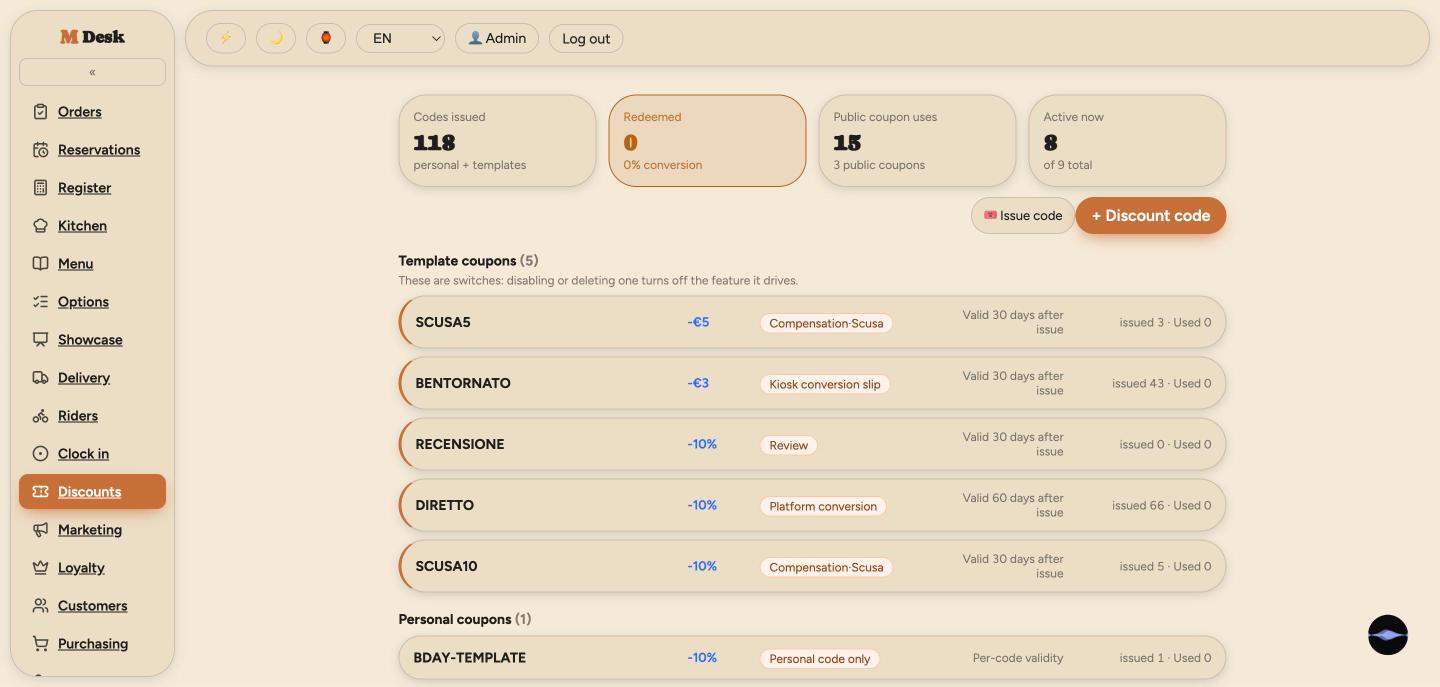
08Coupons, loyalty, marketing
Public codes, personal codes, template coupons, automatic ones for birthdays and win-backs. Tiers, points and store credit that customers spend at checkout.
- Customer-facing text must be Italian before it can be saved
- Campaign drafts for email or WhatsApp — never sent without a click
- Review invitation after delivery
- Membership card with QR, in the apps and on the website
09Reservations
Table bookings by slot and capacity, with the kitchen ticket printed just before the party is due.
- Phone bookings entered by the front desk
- Live availability shown to customers online
10Purchasing
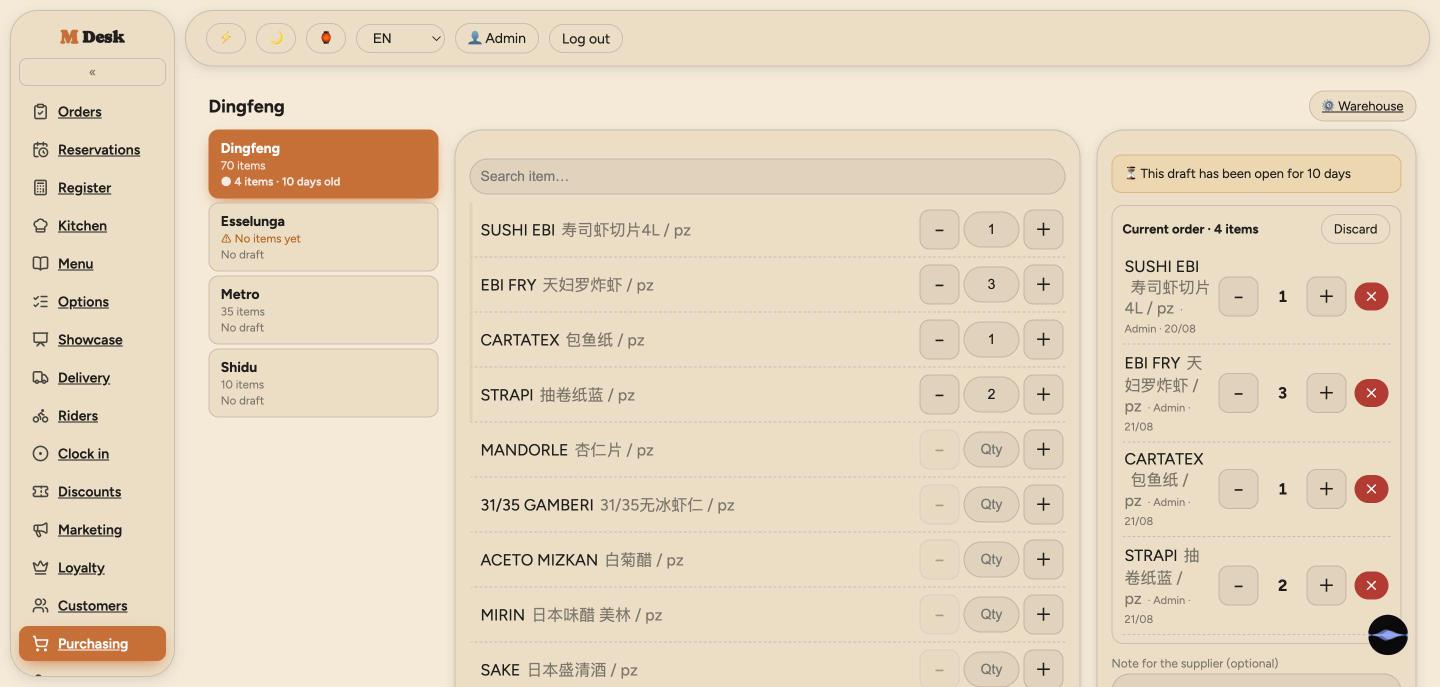
A shared weekly draft the whole team adds to; the manager sends one order per supplier as a bilingual PDF.
- Supplier catalogue with Chinese names for the wholesaler
- Stock room view
11Staff, time clock, audit
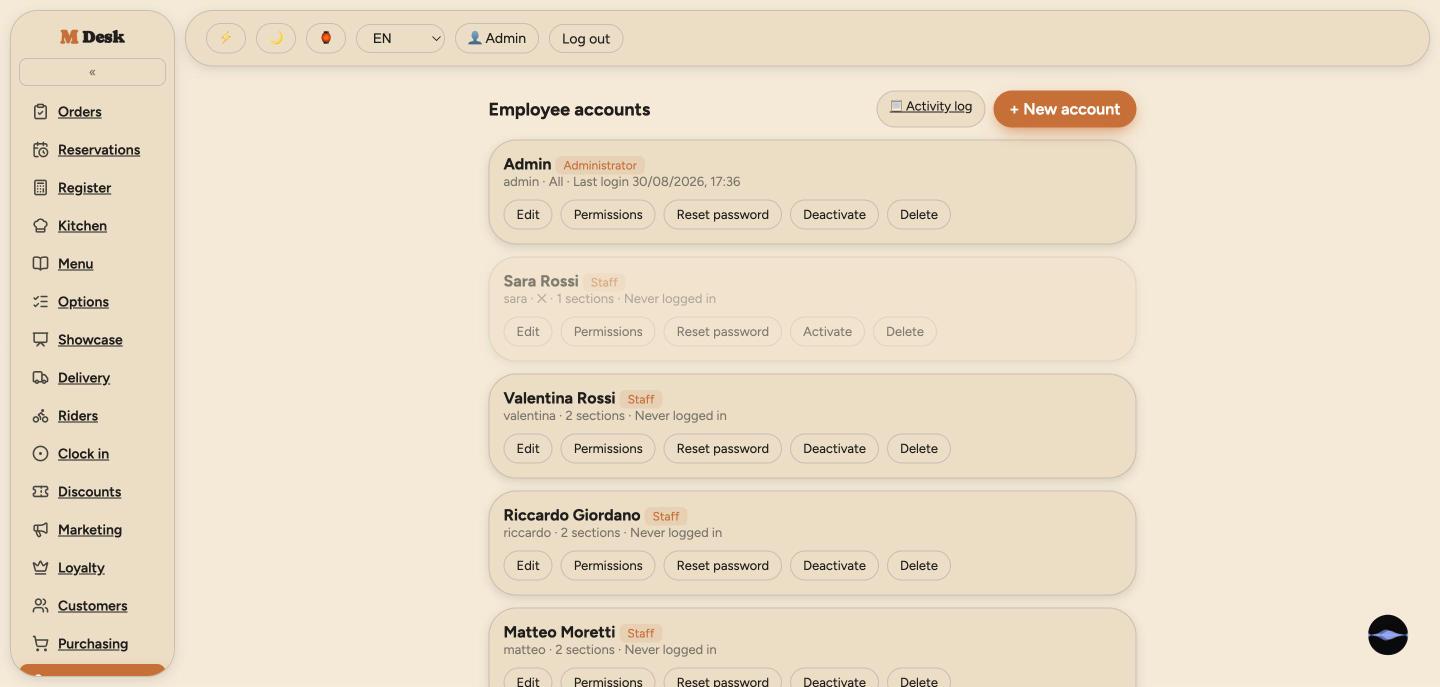
Accounts by username, a module allow-list per role, PIN switching at the till. Everyone clocks in with the same rotating code — riders from their app, staff from their phone.
- Original punches are never overwritten; corrections are a second column with a note
- Forgotten clock-outs are closed at closing time and flagged for review
- Timesheet by station, CSV for the accountant
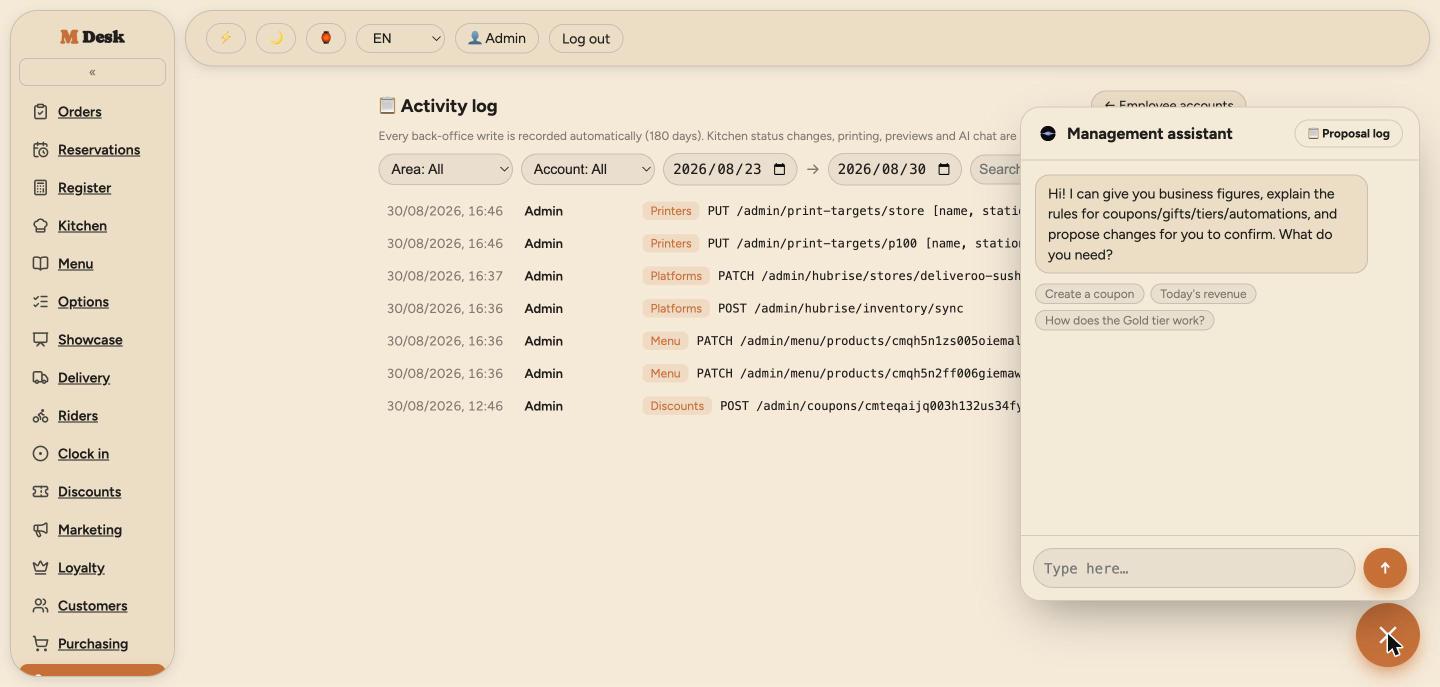
- Audit log of every back-office change, kept 180 days
12AI assistant
Ask for today's revenue, the rules of a coupon, or a campaign draft. It can propose changes — a new coupon, a store setting — but nothing is written until you tap confirm.
- Customer data is masked before it reaches the model
- Money-related changes require a typed confirmation
- The rulebook it reads is generated from the code, so it cannot drift
Decisions you only make after running it
A hesitating customer is not a ticket
The board hides card orders until the payment is confirmed. Someone still deciding on the payment page should not be a card in the kitchen — and if they walk away, the order quietly expires.
Never edit a punch in place
Clock-in and clock-out are stored as pressed. A manager's correction lives in a second column with a note. Pay disputes are about trust, not minutes — the original must always be visible.
Say what a button cannot do
Cancelling a Just Eat order from here changes nothing on Just Eat. Rather than pretend, the screen says so and points staff to where it actually works.
Built with
Next.jsNestJSPrismaPostgreSQL (Neon)StripeHubRiseESC/POSWeb AudioClaude