ホーム
M Desk
The back office a restaurant actually runs its day on.
- Used every day at 4 restaurants
- 16 modules
- From €49 a month
M Desk is management software for restaurants, sushi bars, pizzerias and delivery kitchens. One back office brings together orders from every channel, the till with fiscal receipts and e-invoices, the dining room, the kitchen screen and printers, the riders and the delivery platforms. It runs in the browser on a computer, an iPad or a phone, and it is used every service at Mumi Sushi's three restaurants and at Ming·E Poke & Sushi.
What's inside
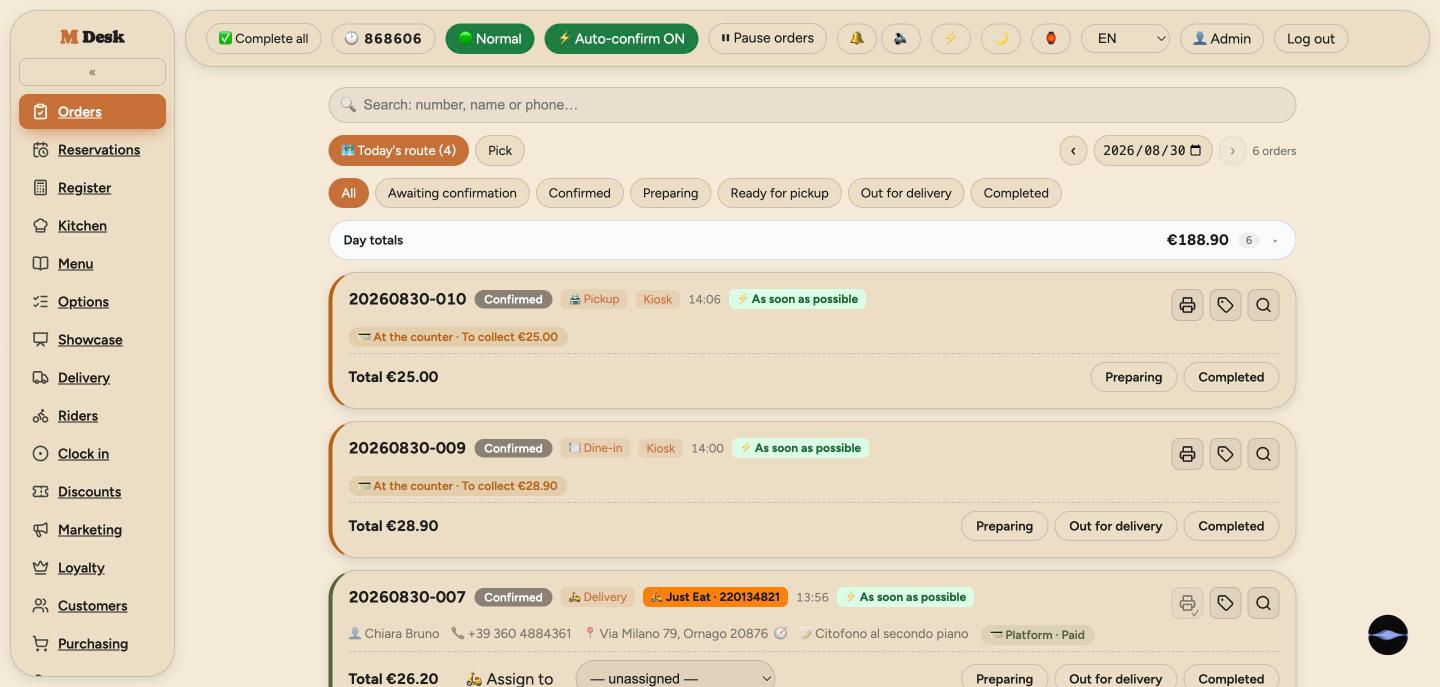
01Order board
Every channel on one screen: your website and app, the kiosk, Deliveroo, Just Eat, phone orders and the dining room. A new order rings within 1.5 seconds and the tab title blinks until someone takes it.
- Platform badges with the platform's own pickup code
- Confirm, assign a rider, cancel or refund from the card
- Busy? Add 10 minutes or pause intake — customers see it at once
- Card orders appear only once payment is confirmed
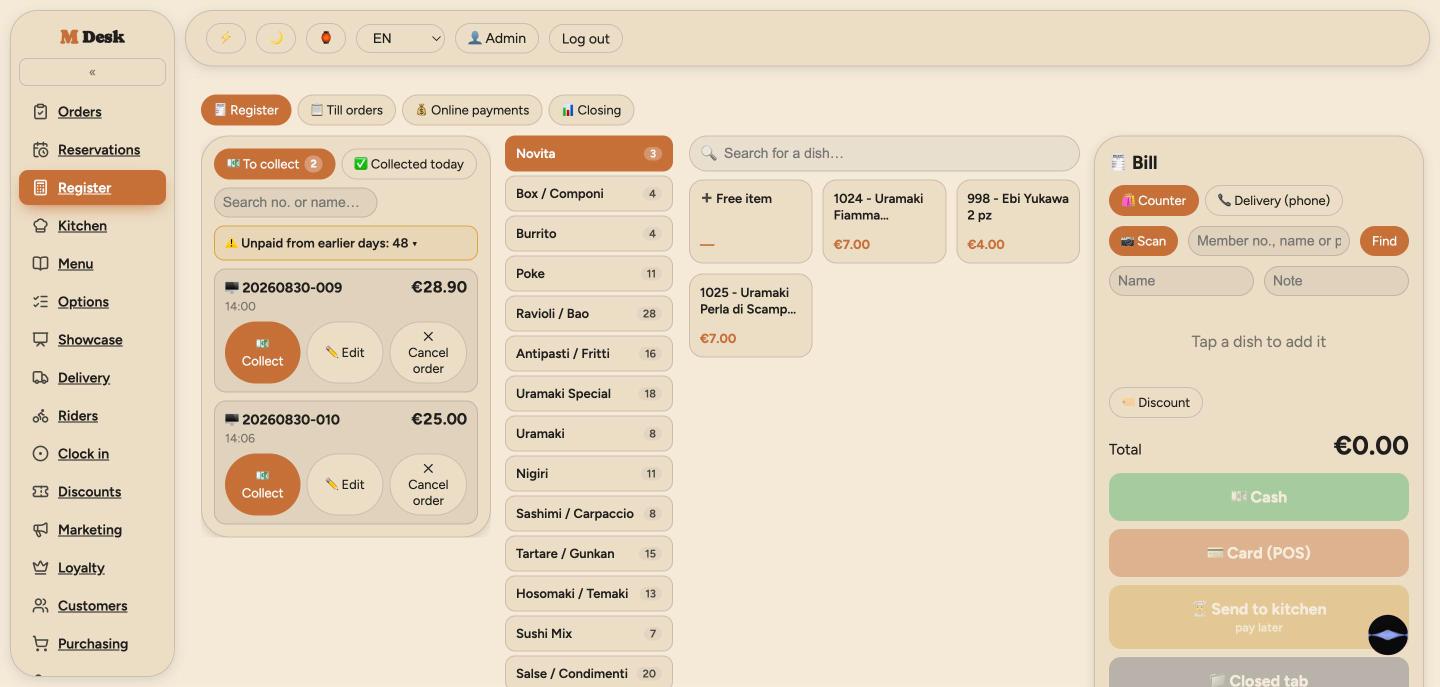
02Till
A touch till for the counter: tap to add, pick sizes and extras, cash / card / pay later. Open tabs, split bills, add to a paid order, switch staff with a PIN.
- Phone orders with address and delivery-zone check
- Membership card scanned at the counter
- Cancel with a reason; refund only what was actually collected
- One collection dialog for everything — the cash portion goes to the day's drawer
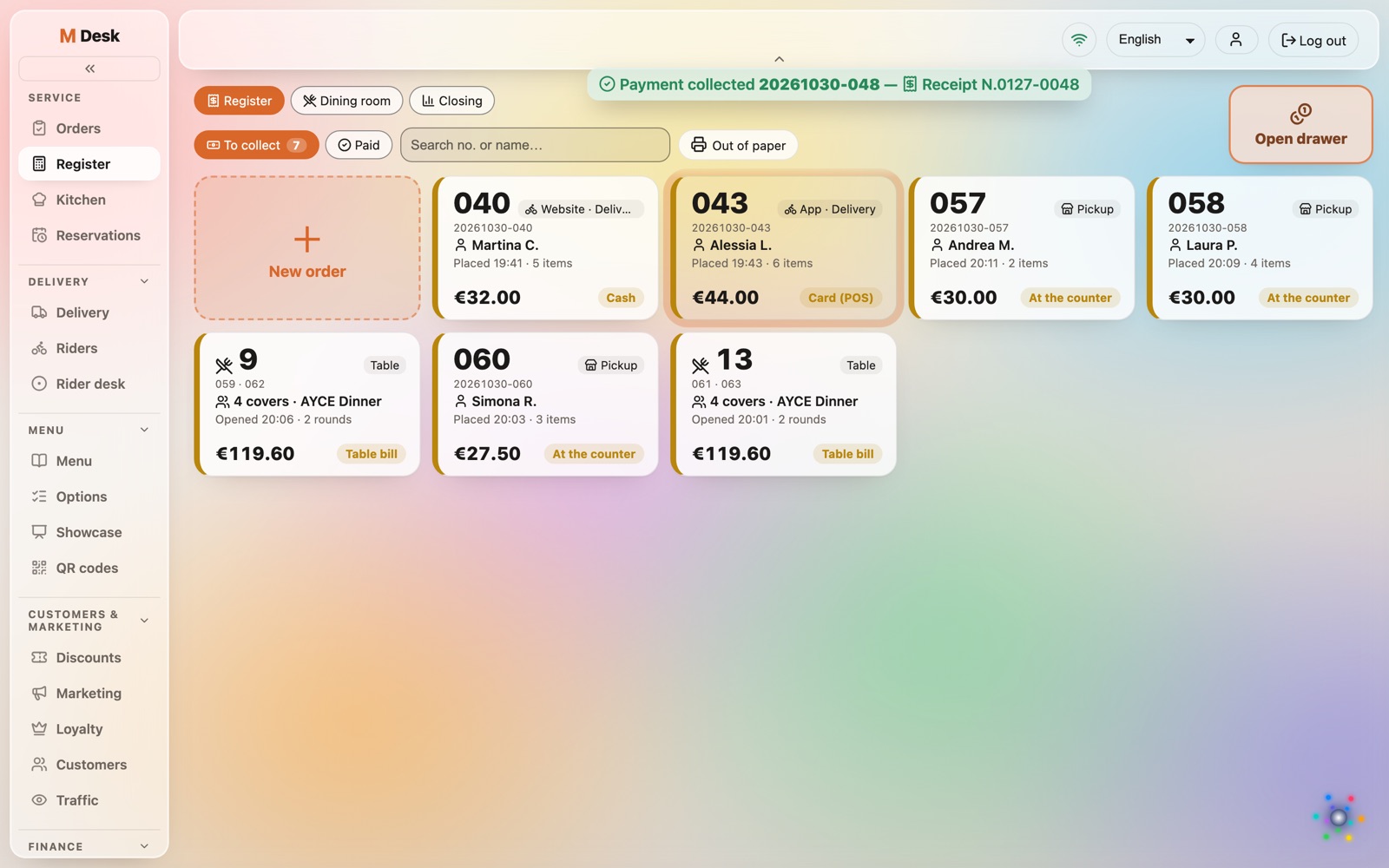
03Fiscal receipts & e-invoices
The till talks to the RT fiscal printer: take the payment and the documento commerciale prints by itself — no second till, nothing typed twice. When a customer needs an invoice, the fattura elettronica goes to SdI from the same order.
- Daily Z closing from the back office
- Customers' billing details saved for next time
- Invoice timeline: sent, delivered, accepted — at a glance
- Cash drawer opens from the till
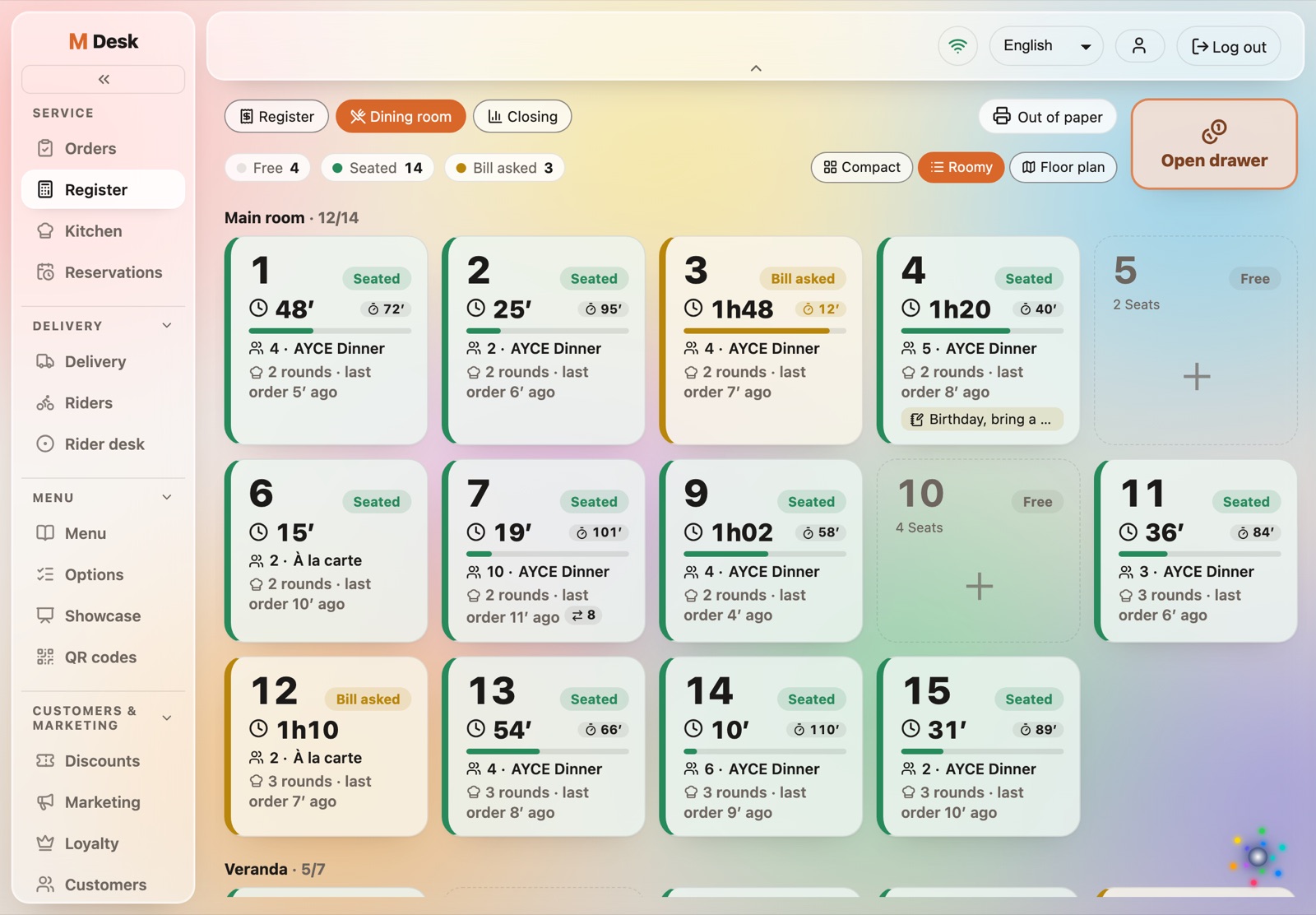
04Dining room & all-you-can-eat
One card per table with its state, covers and time seated. All-you-can-eat menus are priced per person with limits per round, and customers can order from their own phone by scanning the QR on the table.
- Several rounds per table, one bill at the end
- AYCE countdown; tables over time stand out
- Move and merge tables
- Adult and child prices, cover charge
05Kitchen screen
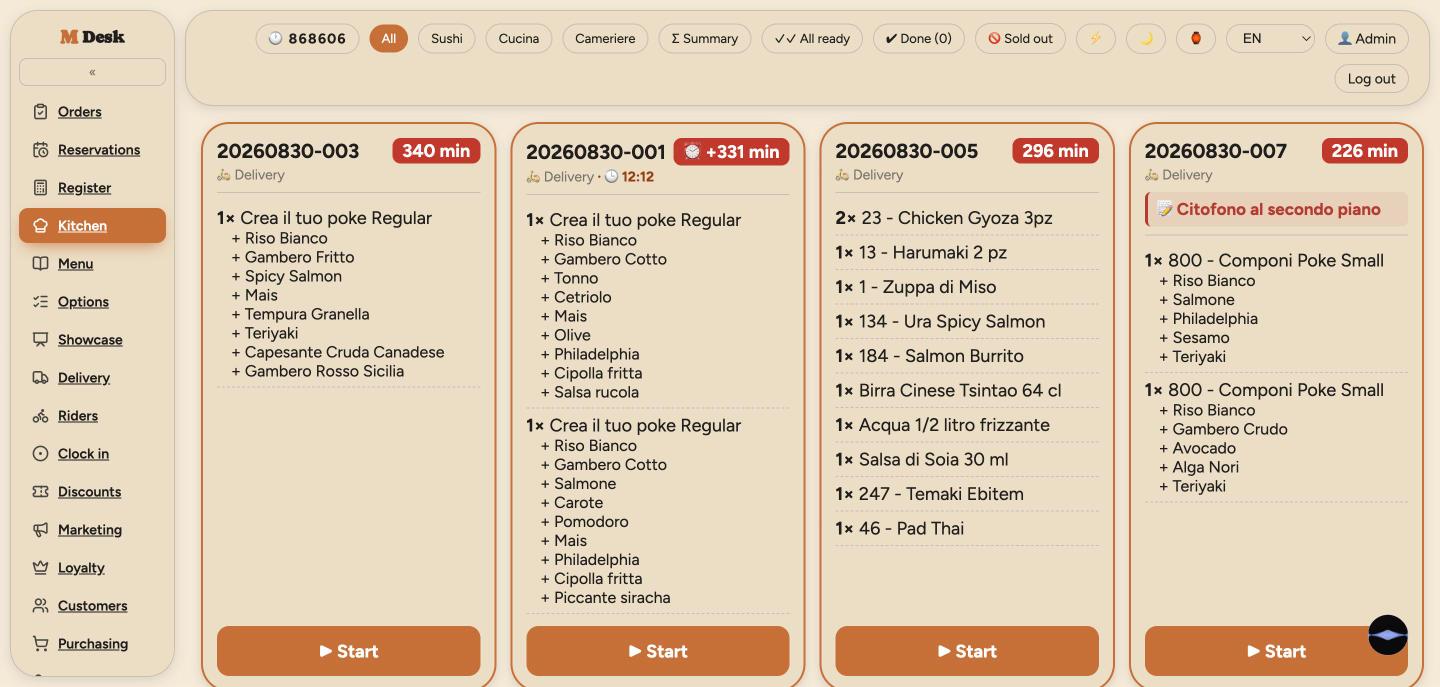
Big cards, a timer that changes colour as an order waits, one tap from start to ready. Filter by station so the sushi counter and the hot kitchen each see their own.
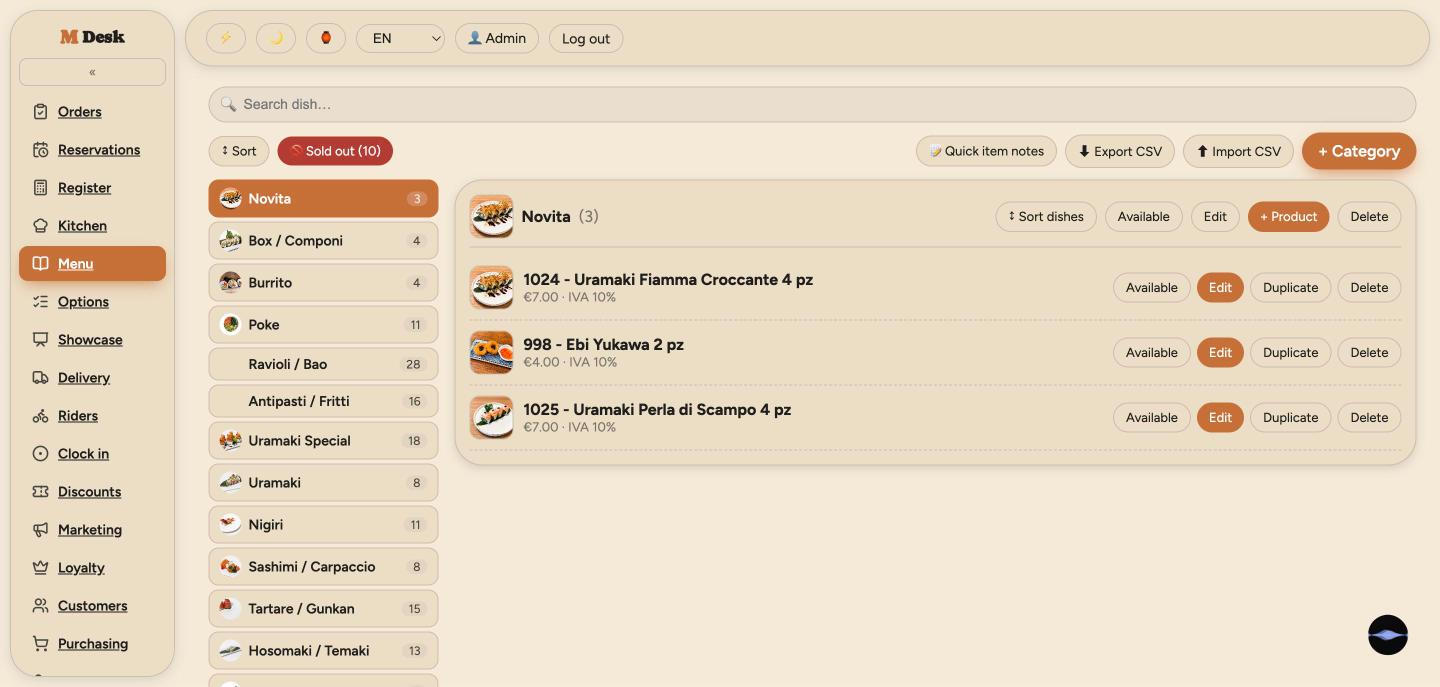
- Sold-out panel: mark a dish out and every channel — Deliveroo and Just Eat included — stops selling it
- Whole-order notes and cutlery in red
- Scheduled orders surface 45 minutes before they are due
- Clock-in code on the top bar
06Printing
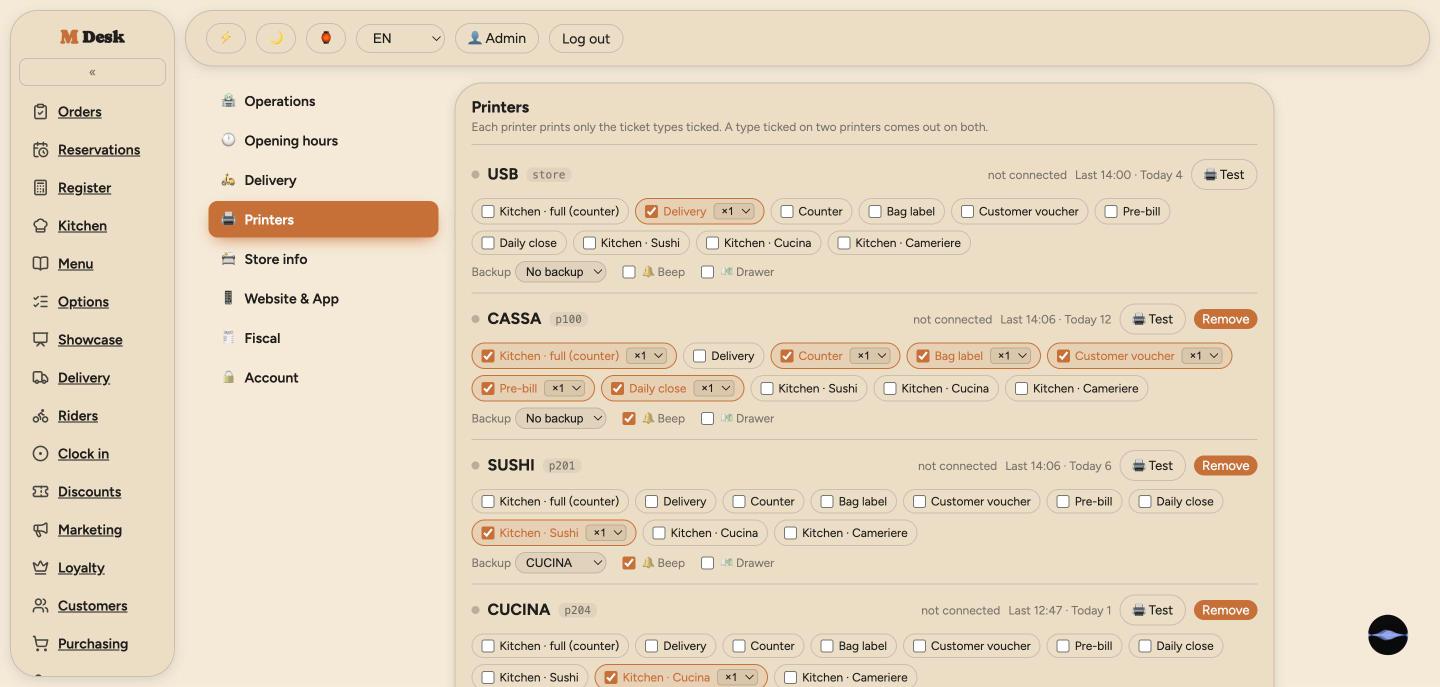
Thermal printers on USB or LAN, each subscribed to the ticket types it should print. Kitchen tickets split by station, a receipt for the customer, a delivery slip with a QR for the rider.
- Content editor: 16 blocks × 6 ticket types — the preview is what prints
- Style editor: size and weight per element, tested on paper
- Printer offline? Jobs move to the backup with a banner on the ticket
- Unprinted-for-3-minutes alert with one-tap reassignment; beeper and cash drawer
07Delivery & riders
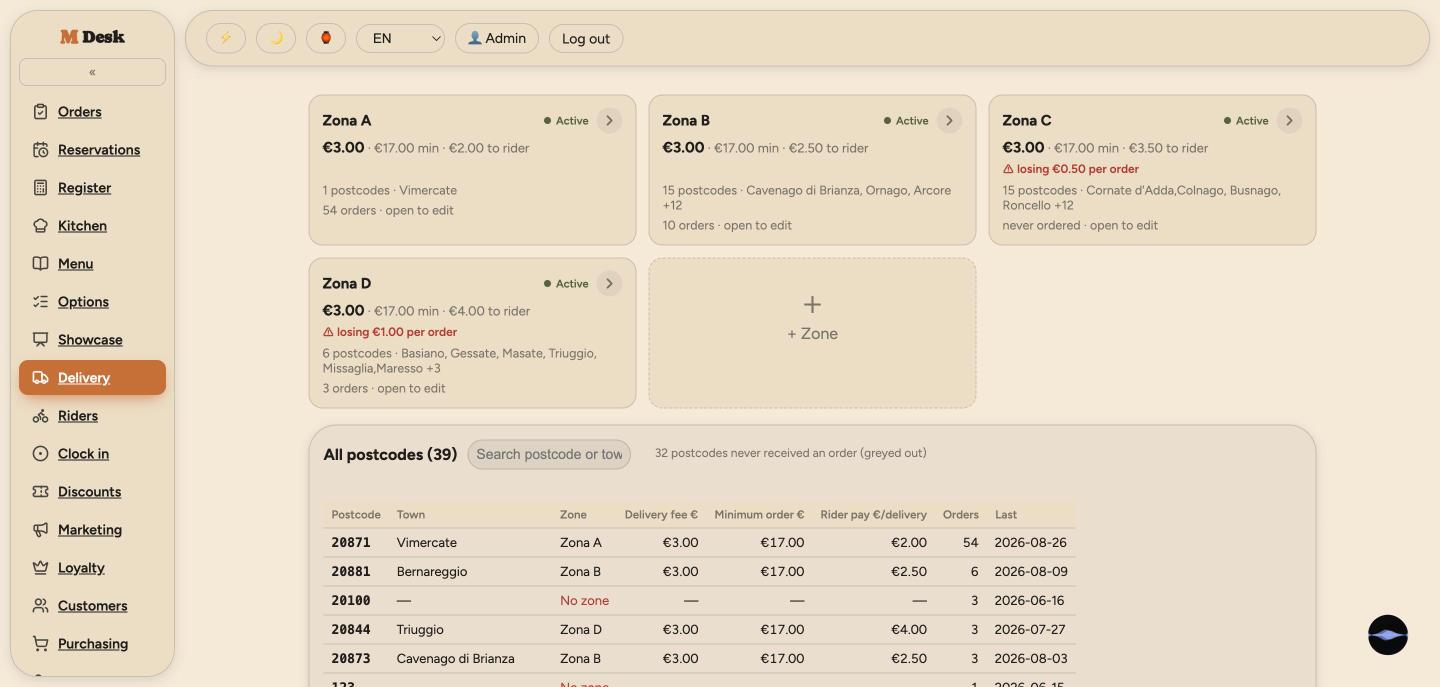
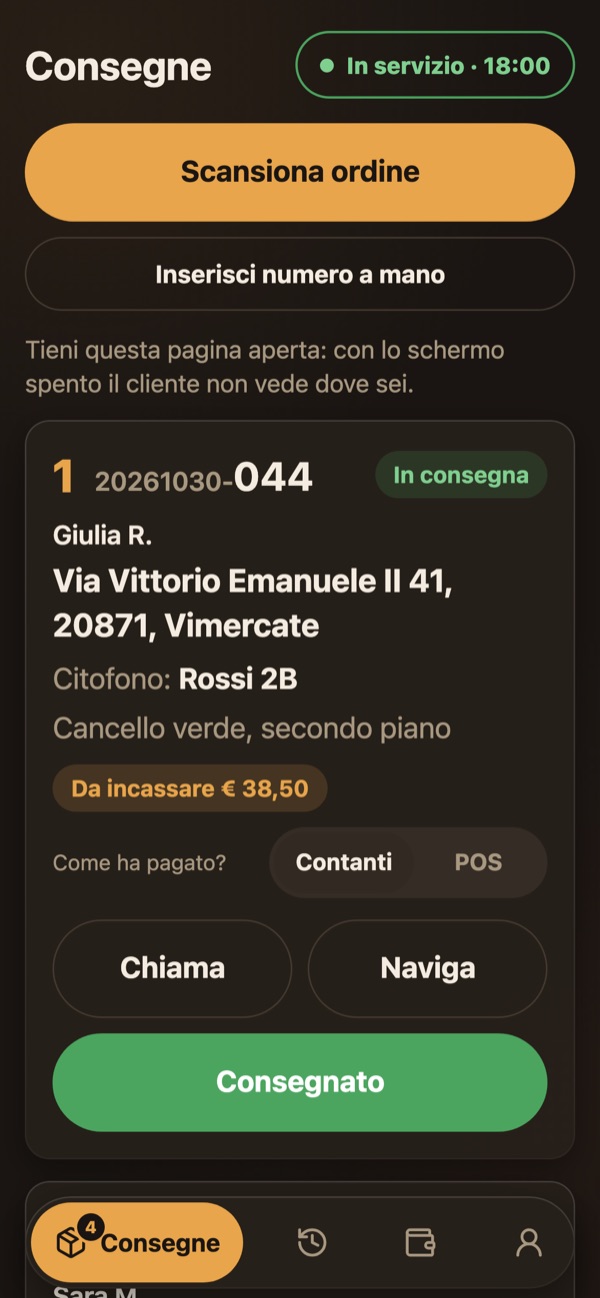
Delivery zones by postcode, each with its own fee and minimum. Riders use a web app on their own phone — nothing to download from a store: scan the bag, navigate, call, mark delivered. The shop sees every stop live.
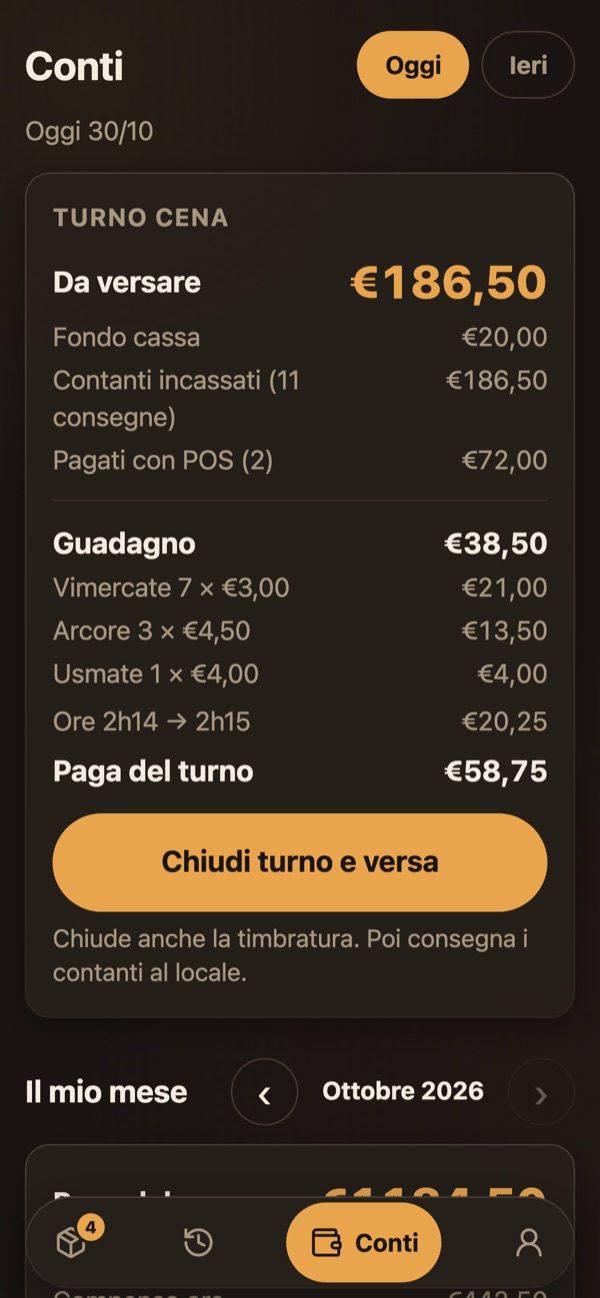
- Cash or POS marked at the door; end-of-shift handover worked out to the cent
- Live panel: each rider's next stop, delays and time back to the shop
- Per-zone delivery fee plus hourly pay on one timesheet
- Customer tracking page with the rider on a map
- No signal? Actions wait in a queue and are sent when it comes back
08Deliveroo & Just Eat
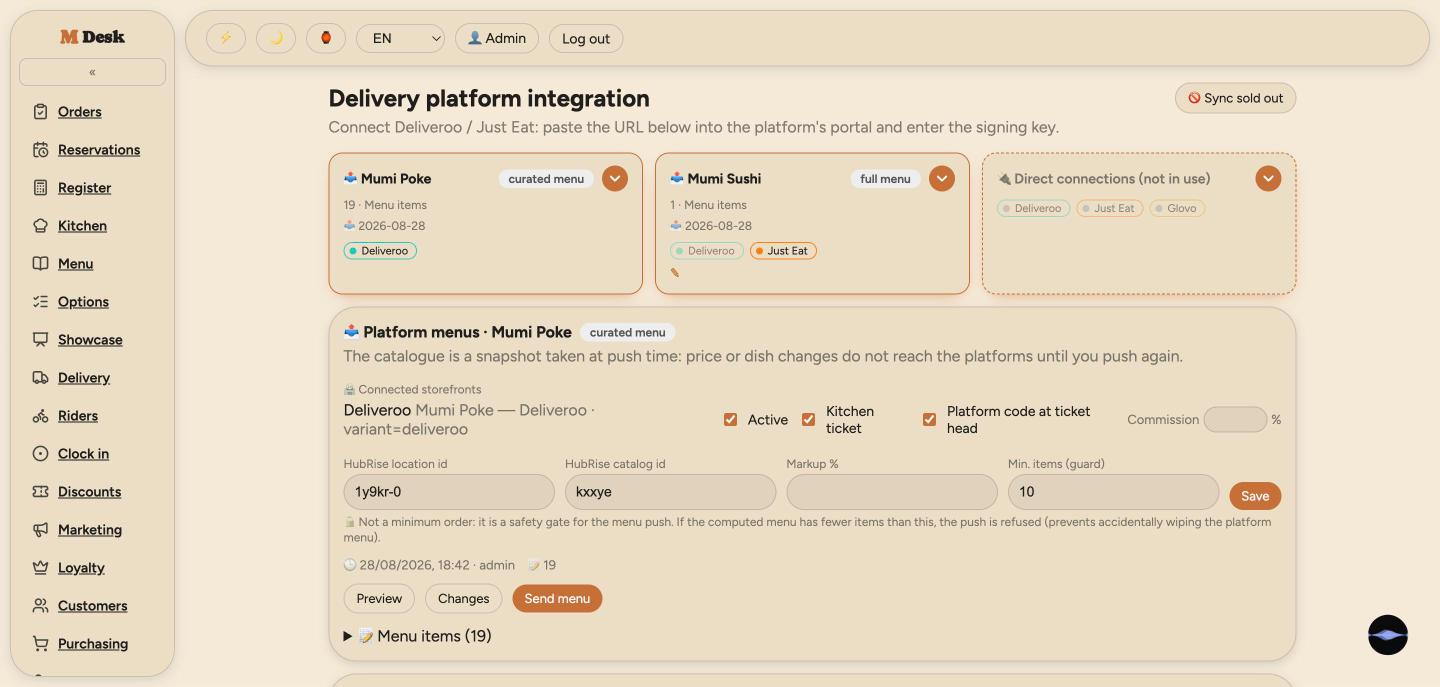
One HubRise connection instead of the tablets: menus pushed from here, sold-outs synced, order status reported back. Platform orders land on the same board as everyone else's.
- Commission set per platform, VAT included — reports show what you actually keep
- A catalogue per brand (sushi and poke), each with its own mark-up
- Extras re-ordered to the kitchen's sequence, not the platform's alphabetical one
- Photos resized to each platform's rules automatically
10Your own website & app
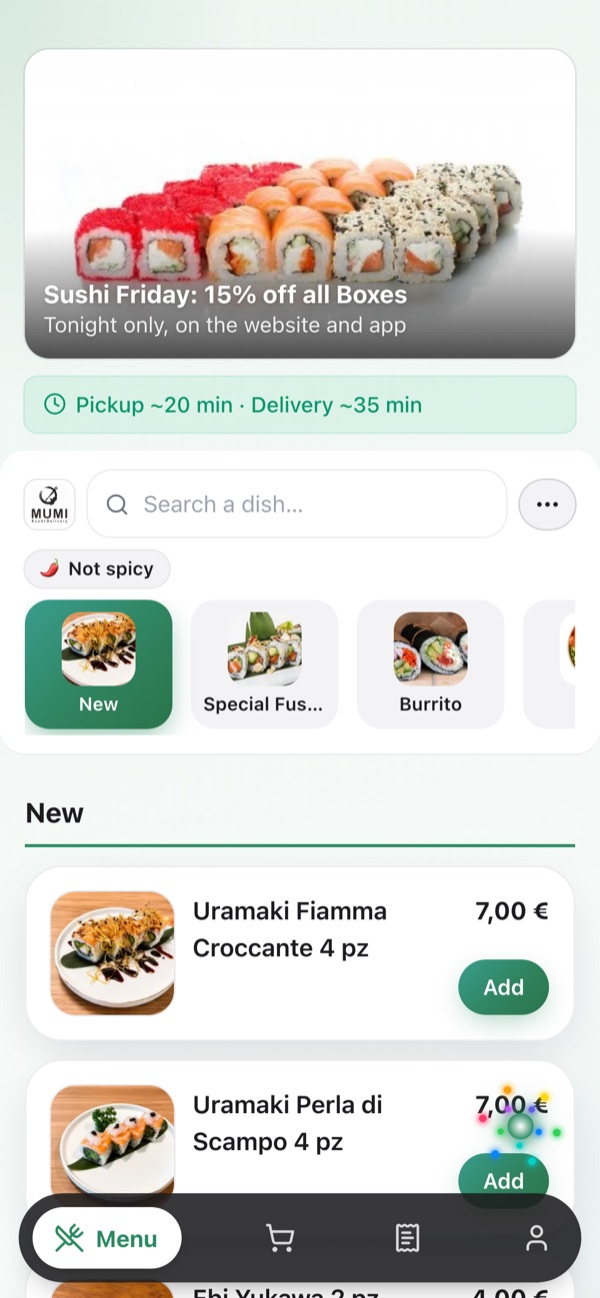
Customers order from the restaurant's own website and its iOS and Android app — menu with photos, pickup or delivery, card payment — with no platform commission. Those orders land on the same board.
- 13 languages for tourists and locals alike
- Delivery-zone check and prep time shown before ordering
- Order tracking with the rider on a live map
- Self-service kiosk mode for the counter
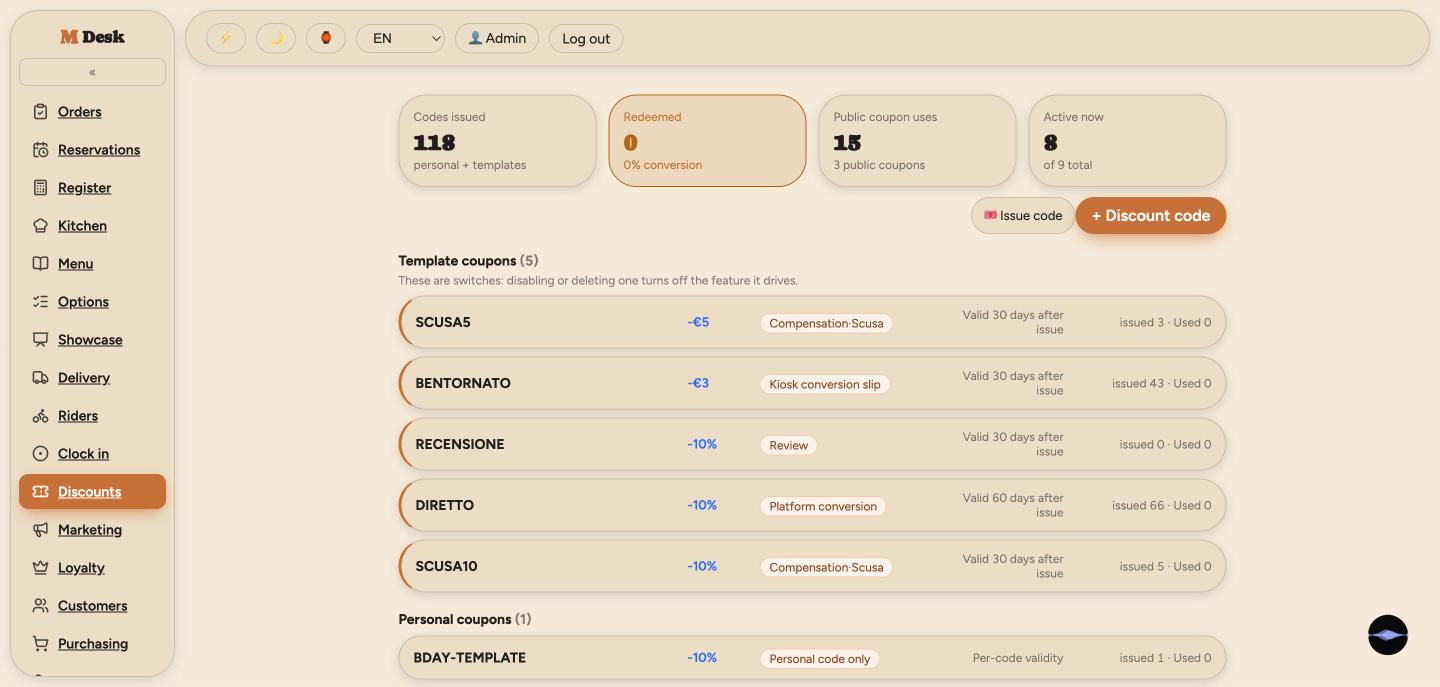
11Coupons, loyalty, marketing
Public codes, personal codes, template coupons, automatic ones for birthdays and win-backs. Tiers, points and store credit that customers spend at checkout.
- Points and credit shared across a group's restaurants
- Email campaigns and automations — nothing goes out without a click
- Customer-facing text must be Italian before it can be saved
- Membership card with QR, in the apps and on the website
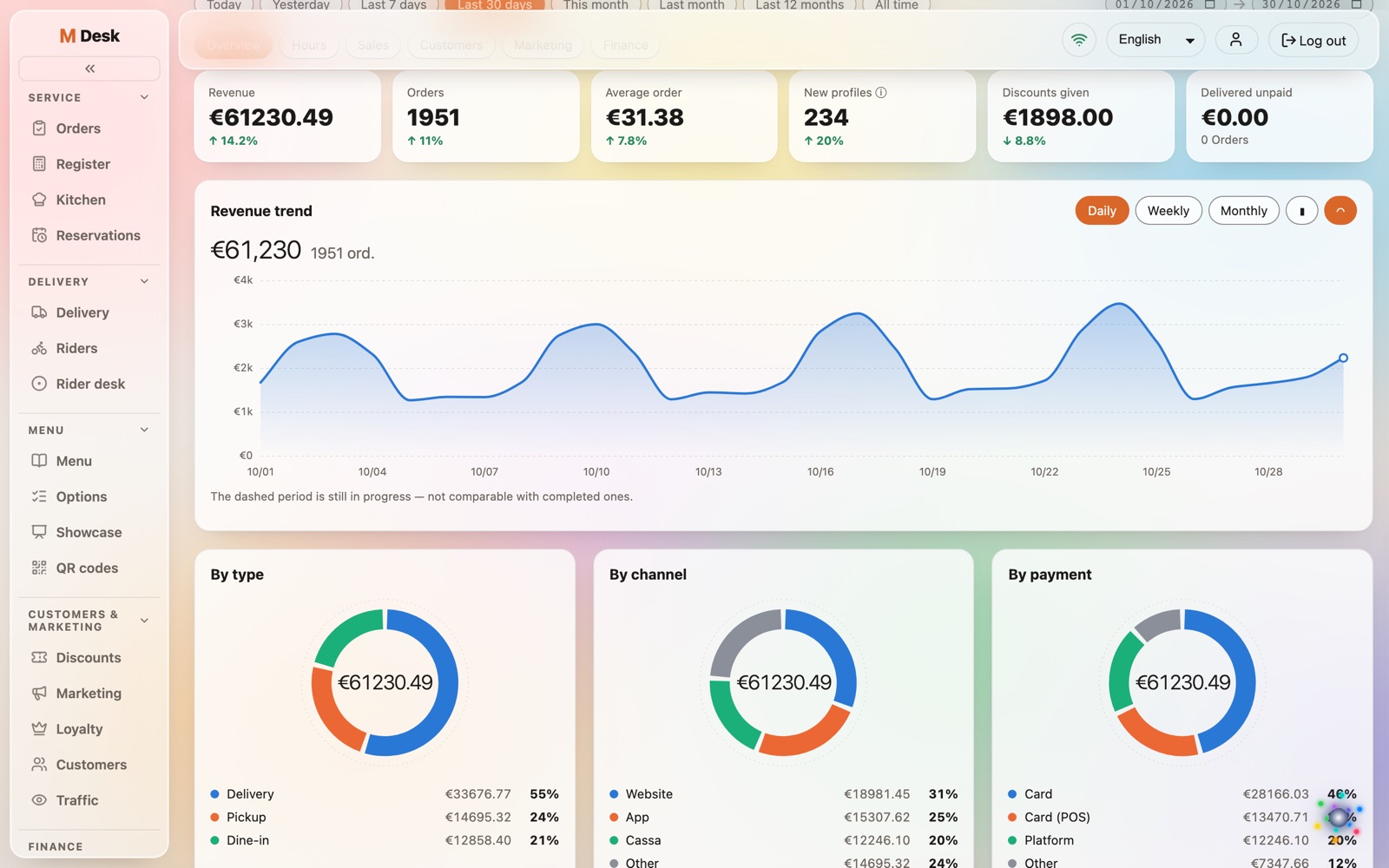
12Reports & closing
Revenue trend against a goal line you drag into place, breakdowns by order type, channel and payment, and an end-of-day closing that matches the drawer.
- Daily, weekly and monthly goals
- Platform orders shown before and after commission
- End-of-day closing report
- Rider hours and pay by month
13Reservations
Table bookings by slot and capacity, with the kitchen ticket printed just before the party is due.
- Phone bookings entered by the front desk
- Live availability shown to customers online
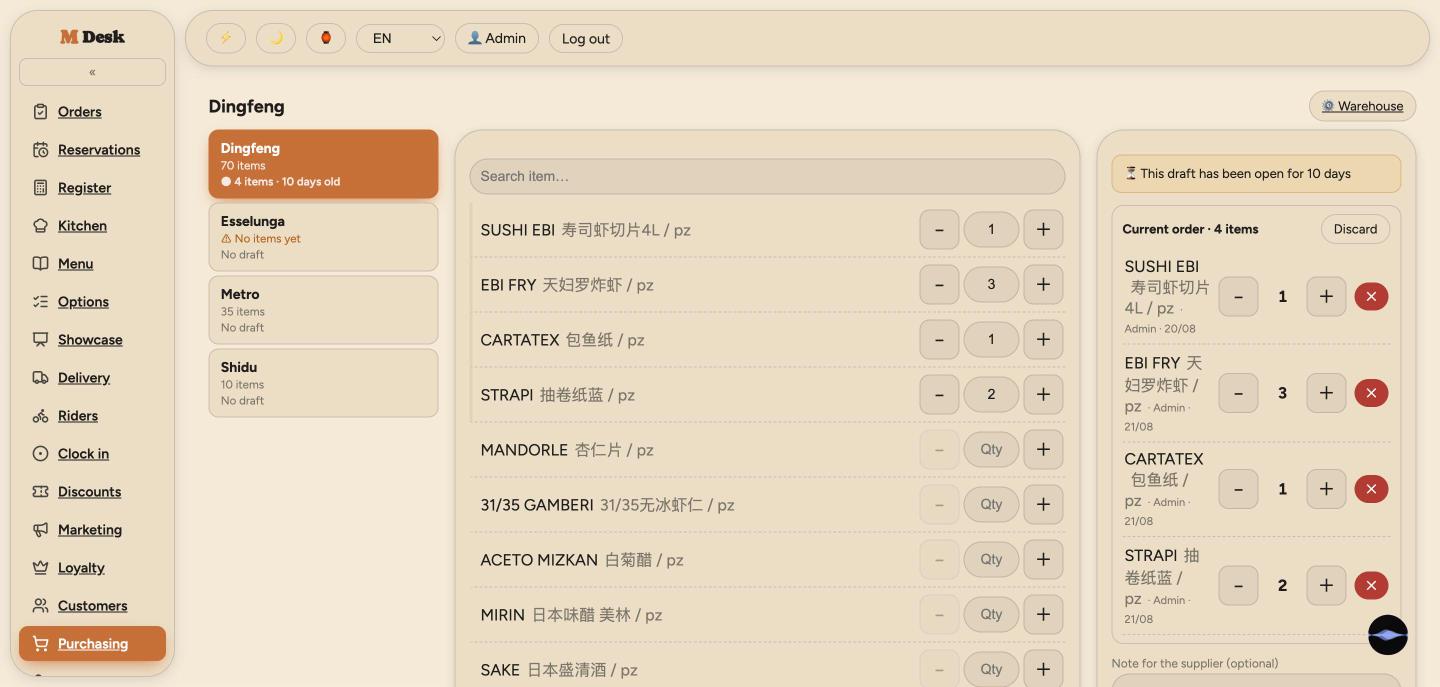
14Purchasing
A shared weekly draft the whole team adds to; the manager sends one order per supplier as a bilingual PDF.
- Supplier catalogue with Chinese names for the wholesaler
- Stock room view
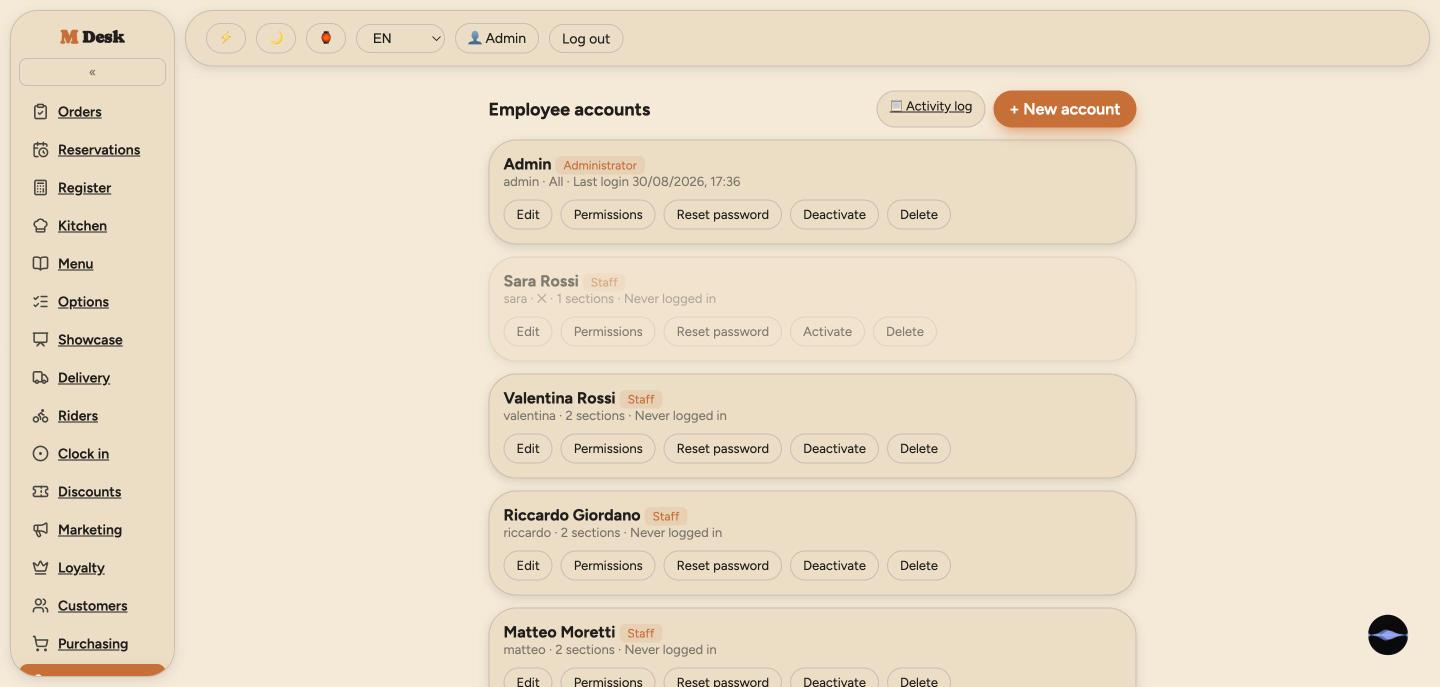
15Staff, time clock, audit
Accounts by username, a module allow-list per role, PIN switching at the till. Everyone clocks in with the same rotating code — riders and staff from their own phone.
- Original punches are never overwritten; corrections are a second column with a note
- Forgotten clock-outs are closed at closing time and flagged for review
- Timesheet by station, CSV for the accountant
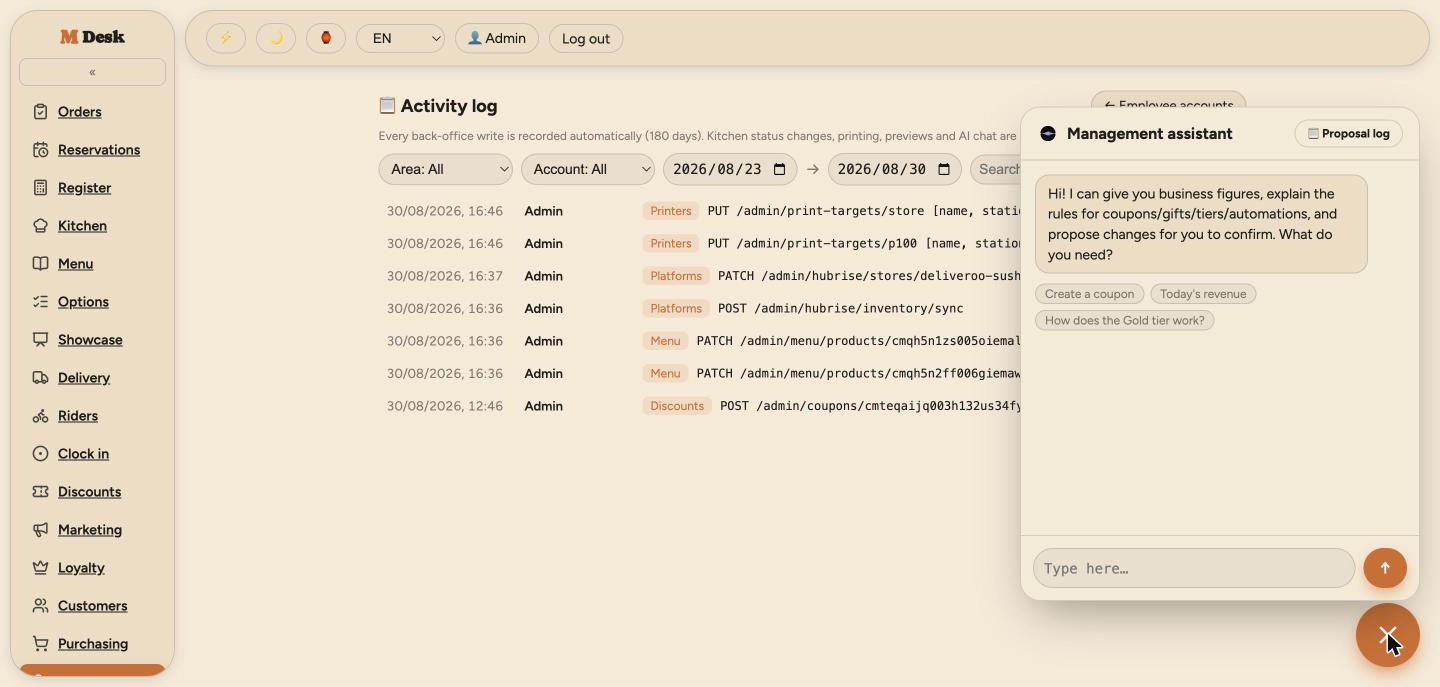
- Audit log of every back-office change, kept 180 days
16AI assistant
Ask for tonight's best seller, today's revenue, the rules of a coupon or a campaign draft. It can propose changes — a new coupon, a store setting — but nothing is written until you tap confirm.
- Ask by voice or text, without leaving the order board
- Customer data is masked before it reaches the model
- Money-related changes require a typed confirmation
- The rulebook it reads is generated from the code, so it cannot drift
Why restaurants switch to M Desk
One system instead of five
Cloud till, the fiscal printer's software, the platform tablets, an aggregator and the rider notebook — all on one screen. When you start, we import your menu and connect the printers, the RT and the delivery platforms.
No money lost along the way
Card orders reach the kitchen only once they are paid. Refunds can't exceed what was actually collected. Riders' end-of-shift cash adds up to the cent, and platform orders show what you keep after commission.
When something goes wrong, you know at once
A printer goes offline and tickets move to the backup; nothing printed for 3 minutes raises an alert. Riders without signal keep working and their actions are sent when it returns. When something has to be done on the platform's side, the screen tells staff where.